help-book
Help Book


A standalone, drop-in documentation system for any web project. No build step, no npm, no framework — just static files. Mintlify-inspired aesthetic, macOS-Settings layout, dark mode out of the box.
Live demo: https://leminkozey.github.io/help-book/help/
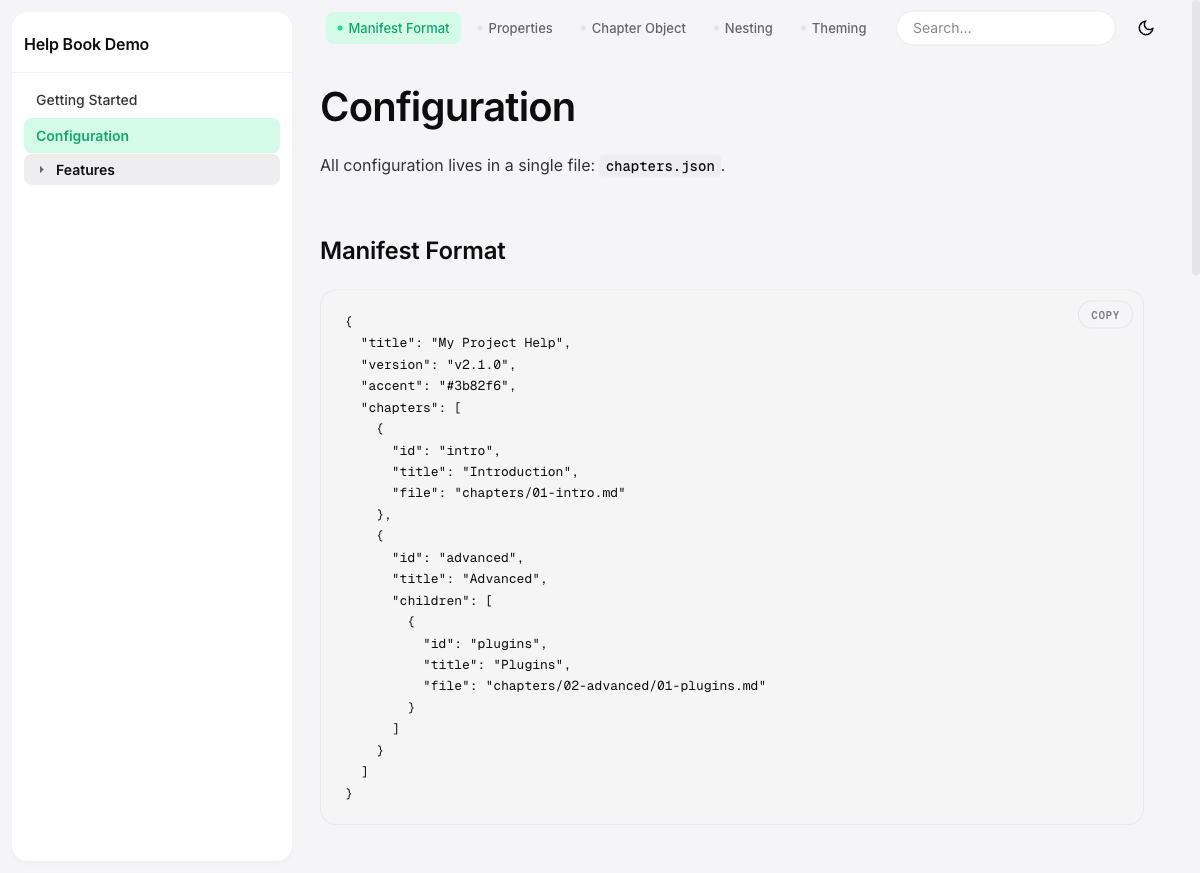
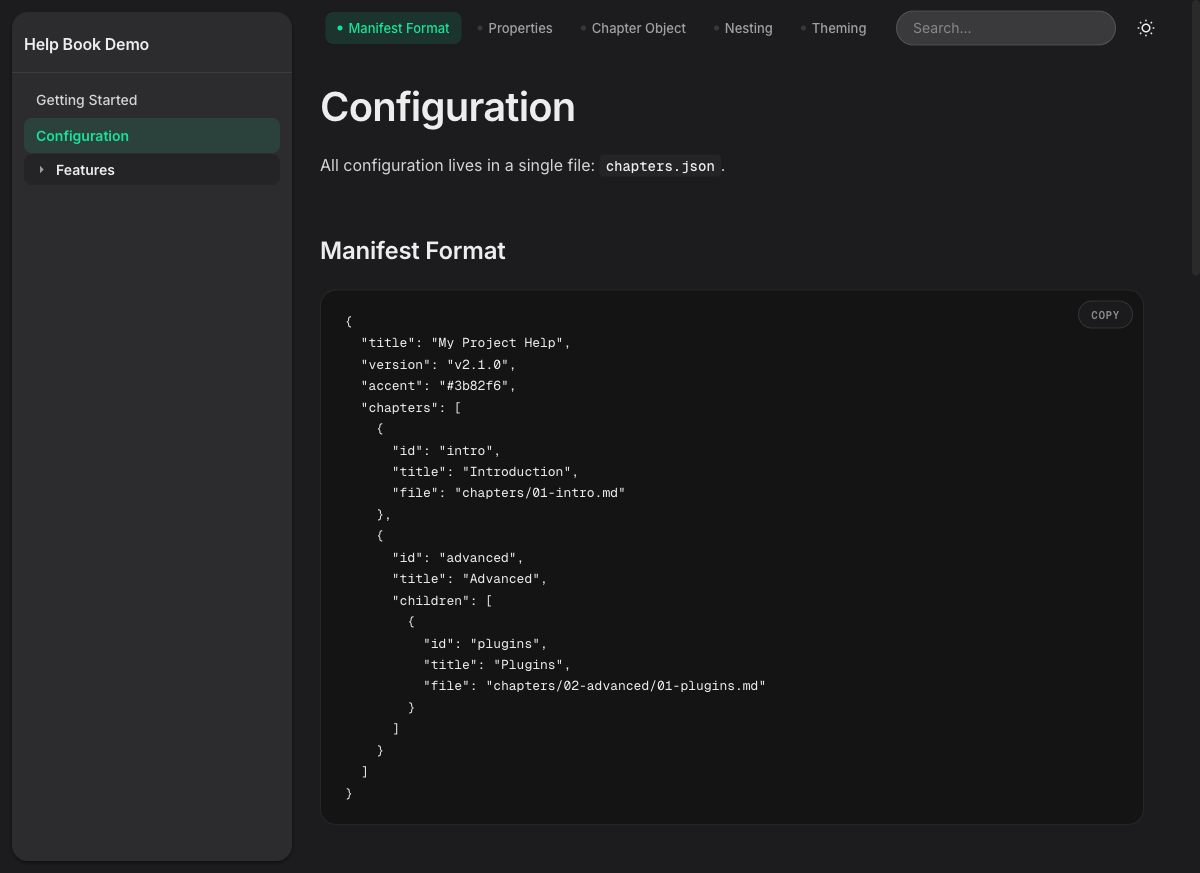
Preview
| Light | Dark |
|---|---|
 |
 |
What it does
Copy the help/ folder into your project, edit chapters.json, write markdown — done. Your project has a full documentation site.
Features:
- Floating sidebar (macOS-Settings style) with auto-expanding nested chapters
- Inline TOC navigator in the sticky header (with scroll-spy)
- Full-text search across all chapters (
Ctrl+K/Cmd+K), locale-aware, with indexing state - Light / dark theme — follows system preference, syncs across tabs, no flash on first paint
- Geist Sans body + Geist Mono code labels (loaded from Google Fonts)
- Warm orange accent (
#e8791d) — overridable per-project viachapters.json - Pill-shaped search and copy buttons; subtle 5%-opacity borders
- Syntax highlighting (highlight.js) with copy-to-clipboard
- Mermaid diagram support —
```mermaidcode blocks render as SVG (lazy-loaded from CDN, theme-aware) - Chart.js support:
```chartcode blocks with JSON config render as interactive charts (lazy-loaded from CDN, only when a chart appears on the page) - Find-on-page: live highlights as you type,
Enter/Shift+Enterto cycle, cross-chapter results below - Heading anchors: hover an H2/H3 to reveal a
#that copies a deep link to that section - Optional “Edit this page on GitHub” link per chapter via
editUrlinchapters.json - Images via standard Markdown — paths resolve relative to the chapter file, raw
<img width="…">allowed for sizing - Previous / next chapter navigation
- Mobile responsive with safe-area insets (iPhone notch aware)
- Accessible: skip-link, ARIA combobox search, keyboard navigation,
prefers-reduced-motion
Quick Start
One line, in your project root:
curl -fsSL https://raw.githubusercontent.com/leminkozey/help-book/main/scripts/install.sh | bash
This drops a ready-to-edit help/ folder next to where you ran it (with starter chapters.json + one demo chapter). Then serve it with any static file server:
cd help && python3 -m http.server 8082
python3 -m http.serveris for local development only — not production-ready (single-threaded, no TLS, no security headers). For production use nginx, Caddy, or a CDN.
Or with Express:
app.use('/help', express.static('help', {
  dotfiles: 'deny',
  redirect: false,
  index: 'index.html'
}));
Updating
After the first install, every help/ folder comes with its own updater:
bash help/update          # → latest release
bash help/update v2.5.0   # → pin a specific version
The wrapper resolves the target relative to itself, so it works regardless of the directory you run it from. Your chapters.json and everything under chapters/ is never touched — only the bundled code files are replaced.
Before overwriting anything, the previous code files are copied to help/.help-book-backup/. If the new release breaks something, roll back with:
cp help/.help-book-backup/*.* help/
cp help/.help-book-backup/update help/ 2>/dev/null
Install Options
# Pin a specific version
curl -fsSL https://raw.githubusercontent.com/leminkozey/help-book/main/scripts/install.sh | bash -s v2.5.0

# Custom target directory (default: ./help)
HELP_BOOK_DIR=public/docs curl -fsSL https://raw.githubusercontent.com/leminkozey/help-book/main/scripts/install.sh | bash
The installer:
- First run — drops
index.html,help.css,help.js,logo.svg,updateplus a starterchapters.json+chapters/01-getting-started.md. - Subsequent runs — overwrites only the code files. Your
chapters.jsonand any markdown inchapters/is left untouched, and the previous code files get snapshotted tohelp/.help-book-backup/first.
Prefer to inspect first?
curl -fsSL .../install.sh -o install.sh && less install.sh && bash install.sh
Manual download
If you don’t want to run a remote script, grab the ZIP for the latest release:
TAG=$(curl -fsSL https://api.github.com/repos/leminkozey/help-book/releases/latest \
      | grep -m1 '"tag_name"' | cut -d'"' -f4)
curl -LO "https://github.com/leminkozey/help-book/releases/download/$TAG/help-book-$TAG.zip"
unzip -n "help-book-$TAG.zip" -d help/   # -n: never overwrite existing files
Or pin a specific version manually from the releases page — the asset is always named help-book-vX.Y.Z.zip.
The ZIP contains only the five code files (
index.html,help.css,help.js,logo.svg,update). Yourchapters.jsonand anything inchapters/is never overwritten —unzip -nis belt-and-suspenders against future archive changes.
Final layout
your-project/
  help/
    index.html       # ← managed by installer
    help.css         # ← managed by installer
    help.js          # ← managed by installer
    logo.svg         # ← managed by installer
    update           # ← managed by installer (run with: bash help/update)
    chapters.json    # ← yours: edit freely
    chapters/        # ← yours: edit freely
      01-getting-started.md
Configuration
Everything is configured in chapters.json:
{
  "title": "My Project Help",
  "version": "v1.0.0",
  "accent": "#e8791d",
  "chapters": [
    {
      "id": "intro",
      "title": "Introduction",
      "file": "chapters/01-intro.md"
    },
    {
      "id": "advanced",
      "title": "Advanced",
      "children": [
        {
          "id": "plugins",
          "title": "Plugins",
          "file": "chapters/02-advanced/01-plugins.md"
        }
      ]
    }
  ]
}
| Property | Description |
|---|---|
title |
Header and browser tab title |
version |
Shown in footer (optional) |
accent |
CSS accent color — accepts hex, rgb(...), hsl(...), oklch(...) (default: warm orange #e8791d) |
editUrl |
Optional URL template for an “Edit this page on GitHub” link rendered under each chapter. Use {file} as a placeholder for the chapter’s file value, e.g. https://github.com/you/repo/edit/main/help/{file}. Omit the key to hide the link. |
chapters |
Ordered list of chapter objects |
Chapters can be nested one level deep. Parent chapters can optionally have their own file.
Embedding Images
Images work the same way they do in regular Markdown — drop a file somewhere reachable by the static server and reference it from your chapter:

If you need more control over sizing, fall back to a raw <img> tag:
<img src="images/sidebar-dark.png" alt="Sidebar in dark mode" width="600">
The suggested layout is a per-chapters images/ folder, referenced relative to the chapter file:
help/
  chapters/
    01-getting-started.md
    images/
      sidebar-dark.png
External URLs (https://...) work too, as long as the host allows hot-linking and your CSP permits the image source.
A note on sanitization: Markdown is rendered through marked and then scrubbed by DOMPurify. For <img> only a small set of attributes survives — src, alt, title, width, height. Event handlers (onerror, onload, …) and anything else get stripped. That’s intentional, not a bug: it’s what keeps user-supplied Markdown safe to render.
Theming
Override CSS variables in help.css for deeper customization:
:root {
  --help-accent: #3b82f6;
  --help-bg: #f5f5f7;
  --help-card-bg: #ffffff;
  --help-sidebar-w: 280px;
}
Dark mode follows the user’s prefers-color-scheme by default. The user’s manual choice is stored in localStorage and synced across tabs via the storage event. When storage is cleared, the system preference takes over again.
Security
The library renders user-supplied Markdown — sanitization is critical. Built-in protections:
- DOMPurify with explicit allow-lists (no
<script>,<svg>,<form>,<iframe>; URI scheme whitelist; controlledtarget/rel) chapters.jsonvalidation —accentmust match a CSS color regex;chapter.filemust match a path regex with traversal-depth guard- CSP
<meta>with strict allow-list; FOUC-preventing inline script needs'unsafe-inline'forscript-src - SRI hashes +
referrerpolicy="no-referrer"on all CDN scripts Object.create(null)maps to defeat prototype pollution
For production deployments, set these HTTP headers via your reverse proxy:
X-Content-Type-Options: nosniff
X-Frame-Options: SAMEORIGIN
Referrer-Policy: no-referrer
Content-Security-Policy: default-src 'none'; script-src 'self' https://cdnjs.cloudflare.com https://cdn.jsdelivr.net 'unsafe-inline'; style-src 'self' https://cdnjs.cloudflare.com https://fonts.googleapis.com 'unsafe-inline'; img-src 'self' data:; connect-src 'self'; font-src 'self' data: https://fonts.gstatic.com; base-uri 'none'; form-action 'none'; frame-ancestors 'self'
Avoid symlinks inside help/ — static servers may follow them and leak files outside the directory.
Requirements
- A modern browser (Chrome, Firefox, Safari, Edge)
- A web server that can serve static files
- Internet access for Google Fonts + cdnjs (or self-host them)
Releases
Versioned via SemVer. Tagging a v*.*.* triggers a GitHub Action that generates CHANGELOG.md entries from Conventional Commits and creates a GitHub Release. See CHANGELOG.md for the full history.
License
MIT — see CHANGELOG.md for what changed in each version.